Electronics & Smart Home apps and guides
A weak Wi-Fi router signal and a misplaced phone need different fixes. I separate connection tools, device companions and recording apps so you can find the right starting point before blaming the smart TV.
15 apps · 3 guides · top pick first
See the top pickConnection tools, recorders and device companions
 Voice RecorderAndroidOur top pickA handy Galaxy voice recorder, especially when two speakers need separate playback.
 Aura FramesAndroidPick photos, folders or collections for an Aura frame, then invite family to contribute.
 Find My Phone by ClapAndroidA hands-free way to call out a misplaced phone, with a home-screen change to weigh.
 WiFi AnalyzerAndroidCheck channel crowding, signal changes and connected devices from your Android phone.
 Phone Call AppAndroidA compact calling option for reaching phone numbers over Wi-Fi or mobile data.
 Epson iPrintAndroidPrint, scan and copy with an Epson printer without reaching for a computer.
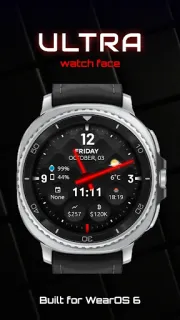
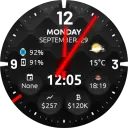 Ultra Watch FaceAndroidKeep the time, date and selected details together on a compatible Wear OS watch.
 Auto ClickerAndroidSet tap points or swipe routes for screen routines you repeat.
 Adobe XdAndroidPut a prototype on your phone and see how its transitions feel in hand.
 Open BrowserAndroidA practical pick for browsing on the move and keeping saved media in reach.
 Magnifying GlassAndroidA pocket-sized camera magnifier for labels, menus and fiddly repairs.
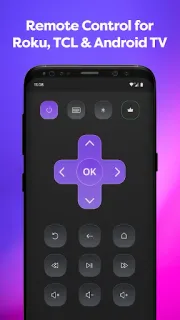
 Remote Control for Rоku &AndroidTurn your phone into a TV remote, with screen sharing and video casting.
 Barcode ScannerAndroidA broad barcode reader for product, logistics and equipment labels.
 ThreeAndroidCheck usage, bills and broadband settings without opening a laptop.
 Camera TranslatorAndroidPoint, capture and read translated text over signs, packaging and more.
Electronics & Smart Home guides
- How-to · Remote Control for Rоku &Remote Control for Rоku & TCL: Fix a TV That Won’t ConnectGet the phone remote talking to your Roku or TCL TV with a few focused checks.
- Tips · Camera TranslatorCamera Translator: 6 fixes for blurry menu textGet clearer translations from menus, signs and labels with six practical camera habits.
- Tips · Ultra Watch FaceUltra Watch Face: Set Up 4 Glances for Practice DaysMake the watch face easier to read when your hands are busy and your schedule is tight.

Other categories
How we pick Electronics & Smart Home apps
I ask whether an app works with the equipment already in the house, whether its permissions match its purpose, and whether another person could use it without a walkthrough. A frame companion should make choosing photos straightforward; a recorder should make saved clips easy to find. For network tools, I value readable information over a screen full of unexplained figures. I also distinguish a tool that helps identify a connection problem from one that can actually change a device setting.
Electronics & Smart Home FAQ
Can a Wi-Fi analyzer improve my connection?
I treat it as a diagnostic tool: it can help reveal signal strength or nearby network congestion. Moving equipment or adjusting supported router settings is a separate step.
Will a device companion work with any brand?
I check the supported product range before installing. A photo frame or TV companion may be built for particular hardware rather than every device of that type.
What should I check in a voice recorder?
I look at how recordings are named, found and shared, along with microphone permissions. A clear saved-recordings screen matters more to me than decorative controls.