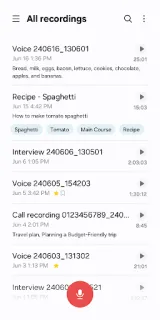
A parent gives you the new practice time while you’re packing cones, and you need to keep both hands free. Voice Recorder lets you start recording on a Galaxy phone, then bookmark the moment with the changed schedule so you can find it later. That small step is more useful than scrolling through a long audio file before the next practice.
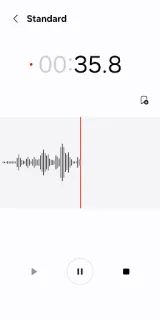
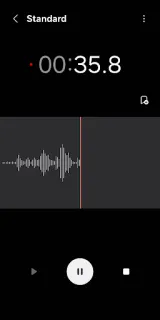
The app offers General mode for straightforward recording and Interview mode, which uses microphones at the top and bottom of the phone to capture two voices separately for playback. The waveform gives you a visual cue as you record. You can bookmark key points, collect bookmarked snippets, edit recordings and transcribed text, then share selected audio or text through other apps. Recording can also continue if a call comes in, without answering it. A compatible Bluetooth headset or external microphone is another option; a Galaxy watch may also support starting a recording, depending on the device. That is a focused tool set, not a 4K streaming or smart TV feature.
On day one, check which recording modes and microphone options your Galaxy model supports, then choose the mode before an important conversation. Interview mode is built for two voices, but it relies on the phone’s top and bottom microphones, so placement matters. If a Bluetooth headset is connected, check that it is the input you want. Review the app permissions when prompted and allow only what you need for recording, editing and sharing. It is free to install, but device support can vary, so confirm compatibility in the Google Play listing.
I’d install it on a Galaxy phone for spoken reminders, interviews or practice notes that need quick bookmarks and selective sharing. I’d skip it if you need a recorder that works consistently across non-Galaxy devices or a dedicated multitrack editing suite; this app is designed for Samsung Galaxy. Before relying on it for an important conversation, make a short recording and check that the playback and chosen microphone behave as expected. The Google Play button just below is the place to check whether your device is supported.