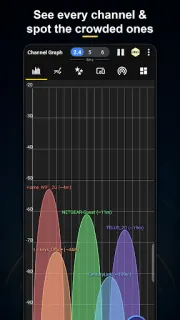
The bedroom smart TV stutters during a show, yet the Wi-Fi router is only down the hall. I’d check the signal meter and live graph in both spots before moving the router: a weaker reading at the TV gives me a useful clue, while a busy channel view points to a different problem. It’s a practical first look, not proof that WiFi Analyzer can fix a provider or device fault.
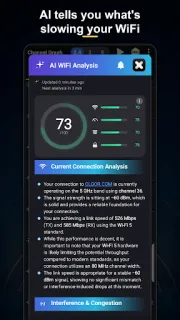
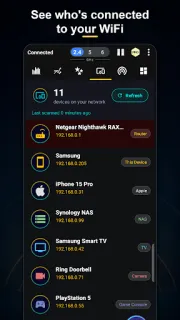
The app scans nearby access points for channel overlap and recommends a channel for your network. It covers 2.4, 5 and 6GHz, tracks signal strength, and estimates router distance to help with placement. A network scanner lists connected devices and, where available, their names, type, vendor and IP address; alerts can flag a new or unfamiliar device. Widgets put signal, channel and speed on the home screen, and there’s also a speed test.
A channel recommendation is a starting point, not a promise of faster Wi-Fi: router settings, walls and interference from other equipment still matter. Readings also depend on what your Android phone can detect, so a laptop or smart TV may behave differently. The app is free to install, but it contains ads and offers in-app purchases. Check the Google Play listing and purchase screen for any recurring subscription terms before paying; don’t assume an optional feature is a one-off purchase.
I’d install it if I manage a home network, want to compare reception around the house, or need a clearer list of connected gadgets. It may also help before changing a Wi-Fi router’s channel, though you’ll need to make that change in the router’s own controls. Skip it if you only want a simple speed check or expect the app to improve Wi-Fi by itself. Check the Google Play button just below for the listing and purchase details.