You’re setting up a Wi-Fi router in a new spot and want to know whether the signal improves before you settle on a shelf. Three’s real-time signal strength indicator can help you position your hub, while the app also puts account tasks within reach when you’re away from home. That combination is more useful than a billing screen alone.
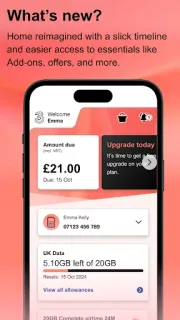
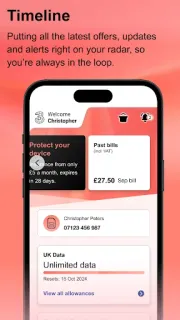
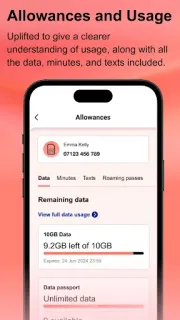
The app lets Three customers view plan allowances and usage, review past bills with cost breakdowns, and add, change or cancel additional products. Pay As You Go customers can top up; broadband customers can set up and manage their service. There’s also quick access to Three+ rewards, Three Community and live chat, plus payment management with Google Pay. I’d use it for those specific jobs, not as a general phone-management tool.
This is an account-facing app, so you’ll need access to your Three account to use its personal tools. Treat usage, bills and payment controls as sensitive: check the privacy details and requested permissions on Google Play before installing, and use a screen lock on a shared or easily misplaced phone. The app is free to install and contains ads; adding products, topping up or changing services may involve charges under your account terms. Review the details on screen before confirming anything.
I’d install Three if I manage a Three mobile plan or broadband service and want bills, usage and hub controls together. If you aren’t a Three customer, or prefer to handle account matters on a laptop, it offers little reason to keep another account app on your phone. A smartwatch won’t replace the account screens, either. Check the Google Play listing, then use the button just below if it fits your setup.