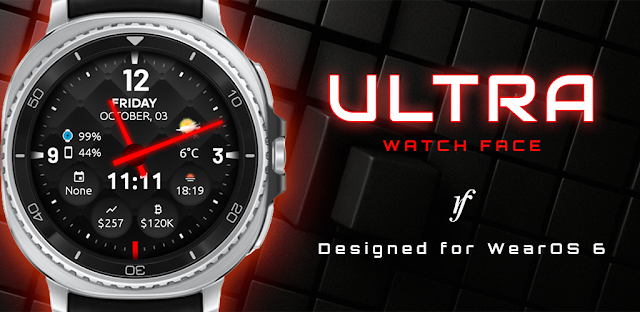
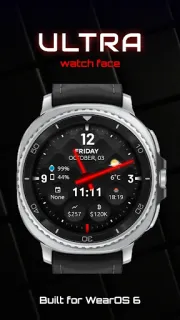
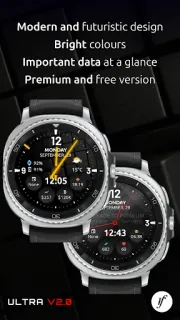
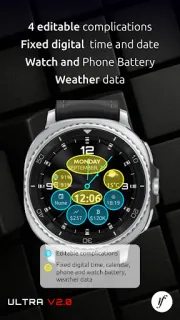
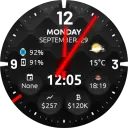
A practice is about to start, your phone is buried in a bag, and you need the time without breaking the conversation. Ultra Watch Face makes that glance the point: an analog-style dial shares space with digital details, so the watch can feel more useful than a bare clock. The free setup includes the date, screen time and four fixed complications. That is the practical reason to keep it around: a quick look can answer more than one small question, without reaching for your phone.
The design is aimed at Wear OS 6 or later, so compatibility comes first. The free version gives you four fixed complications; Premium adds four customizable ones, weather, phone and watch battery levels, background choices, ambient display styles and a step-goal indicator. The listing also describes integrated stock complications, plus step counting and continuous heart-rate tracking. Those extras make the face more configurable, but they do not turn it into a full activity or market app. Think of them as wrist-level snippets. If you already move between a laptop, wireless earbuds and a watch during a packed day, the appeal is having selected information visible on the watch rather than opening another screen.
The trade-off is the boundary between the free face and Premium. Ads are included, and some of the most useful daily details—such as weather, battery levels and customizable complications—sit in the Premium tier. Check the Google Play listing for Premium details before choosing it, and confirm your watch runs Wear OS 6 or later before installing. Complications can depend on the apps and data sources you choose, so treat a glance as a shortcut, not a substitute for opening the relevant app when you need detail. This is a watch-face choice, not a smart home control panel or a replacement for your phone’s apps.
I’d consider it if you want a sporty dial with more room for date, activity and other quick details, and you are happy to tune the layout on your watch. Skip it if you want every feature in the free version, need a face for an older Wear OS version, or prefer a very plain dial with no extras to manage. The appeal is focused: make the wrist glance count, then decide whether Premium’s added fields are worth choosing. If that matches how you use your watch, the Google Play button is just below.
 TipsUltra Watch Face