Work & Productivity apps and guides
A PDF edit should not turn into a file hunt. I sort document, chat and coding tools by the task they finish, including where cloud storage helps and where a separate project management tool makes more sense.
4 apps · 4 guides · top pick first
See the top pickDocument, chat and coding tools for a specific job
 PDF EditorAndroidOur top pickEdit, sign, scan and rearrange PDFs from your phone.
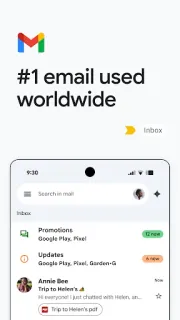
 GmailAndroidParent replies, lesson files and the storage check I would make first.
 AI Chat · Ask ChatbotAndroidTurn a room photo, a document or a passing idea into an AI starting point.
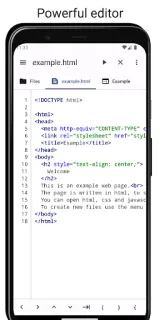
 Code StudioAndroidEdit Java or web files, use a built-in terminal, and manage files in one app.
Work & Productivity guides
- Troubleshooting · Code StudioCode Studio Can’t Open Files? Fix It in 6 StepsGet Code Studio files opening again by checking folders, access and project paths in the right order.
- Tips · GmailGmail: 6 ways to clear clutter without losing emailMake swipes safer, park unfinished messages, and find the email buried beneath a busy inbox.
- How-to · GmailGmail: Stop Sending From the Wrong AccountKeep two inboxes handy without letting the wrong address slip into your next reply.
- Troubleshooting · GmailGmail: Rescue Missing Mail and Stop Repeat Spam TripsA missing reply may be in Spam. Here’s my fix order, from one tap to sender-side checks.
Other categories
How we pick Work & Productivity apps
I ask what finished work the app produces, how easily I can move that work elsewhere, and whether the phone interface suits the task. For a PDF editor, I distinguish changing text from adding an annotation. For coding, I look at the editing workflow rather than assuming a phone replaces a full workspace. Chat tools need readable conversations and answers worth checking. Across the shelf, I favor a clear handoff to the next tool over a long menu of loosely connected functions.
Work & Productivity FAQ
Can every PDF editor change existing text?
I distinguish text editing from highlighting, drawing and adding comments. I check for the specific editing function before choosing an app for a document correction.
Is a phone coding app enough for a whole project?
I see it as a possible fit for focused edits or practice, depending on language support and file access. Running, checking and publishing a project can require other tools.
What should I check before connecting work files?
I review account permissions and where files will be stored or shared. For workplace documents, I also follow the organization's approved-tool rules.