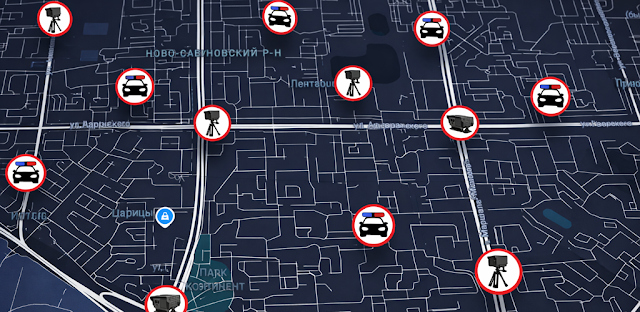
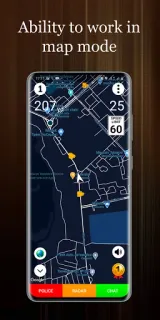
You’re heading across town on a familiar road when a camera warning could change how you approach the next stretch. I’d check the map before pulling away, then keep my attention on traffic rather than handling the phone while driving. For a youth sports coach fitting a match trip between other stops, that quick look at the route is the app’s most practical role: a reminder to watch the posted limit, not a reason to rush or rely on a warning.
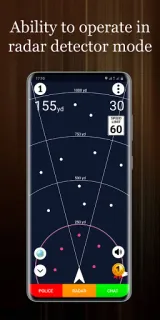
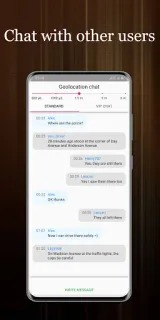
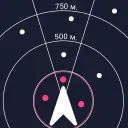
Police Radar uses GPS coordinates to show fixed speed cameras and speed limits near those cameras. It can also display mobile cameras and police patrols marked by other users, so those reports may be useful on a route where conditions change. The app includes a GPS speedometer, plus a HUD and projection display for viewing speed information. The developer describes it as free to use without registration, and says the latest notes cover GPS connection speed, the radar database and the geolocation chat’s city list.
The mobile-camera layer depends on people submitting reports, so I’d treat it as a helpful prompt, not a complete or live guarantee. GPS access is central to locating your position and showing speed; check the permission request and allow location access only if you’re comfortable with that. The listing flags ads and in-app purchases, so check what appears in the app before assuming every option is included at no cost. This is a driving aid, not weather alerts or car maintenance tracking, and it can’t replace road signs or careful driving.
Install it if camera locations, nearby limits and a speed display would help you stay attentive on regular drives. Skip it if you need guaranteed alerts, prefer not to share location with a navigation app, or want one tool for unrelated jobs such as parental controls. I’d compare its map with the signs on the road and avoid interacting with the screen in motion. Check the Google Play button just below to open the listing and decide whether its features fit your routine.
 TroubleshootingPolice Radar