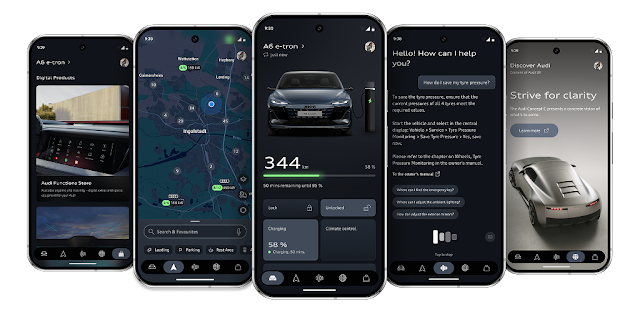
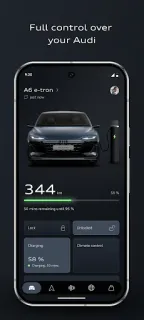
You have a departure coming up, the car is plugged in, and you want charging timed before you leave. That is the sort of small job myAudi is built to handle: Audi says the app can help plan charging and make preconditioning easier. The payoff depends on getting through setup first, so have your vehicle details and Audi account information handy rather than starting while rushing out the door.
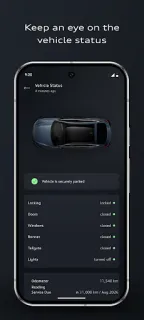
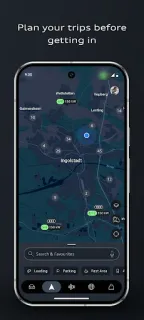
The app brings Audi connect services and vehicle functions into one place. Audi describes remote control of important functions, a route planner that considers real-time traffic, and an Audi assistant that answers questions about your vehicle. It is intended for fully electric, combustion and e-hybrid Audis, but the functions you can use will depend on your car and its services. Think of it as a companion for vehicle tasks, not a replacement for checking your route or the car itself.
The first ten minutes may involve signing in, adding your Audi and following the app’s setup steps. Remote controls and connected services need a compatible vehicle and may require permissions or service activation; allow access only when it makes sense for the feature you want. Free to install does not automatically mean every connected service is included at no cost, so check the terms for your vehicle and region before relying on a feature. If setup stalls, confirm that you are using the account associated with the car and that your vehicle is supported.
Install myAudi if you own or regularly drive a compatible Audi and want route planning, charging or remote functions close at hand. It is a poor fit if you do not have an Audi, or if you expect connected features to work without account and vehicle setup. Drivers who already use a smart thermostat or home security app may recognize the convenience of remote controls, but a car’s connected services have their own compatibility requirements. Check the Google Play button just below to open Audi’s listing and decide whether the app fits your car.
 How-tomyAudi