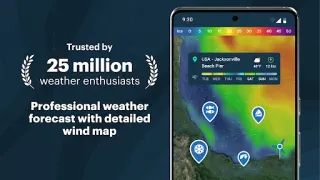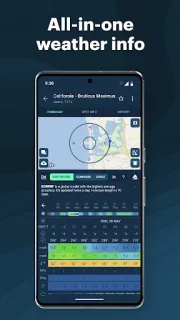
The forecast looks different when a gust decides whether practice stays on the field or moves indoors. I’d open a spot in Windy.app, check the wind direction and speed, then compare the wave outlook before heading toward the coast. The wind compass, gust information and map put the key details close together; wind alerts can help flag a change while you’re busy packing. That makes the app useful for planning around conditions, not just glancing at a temperature number.
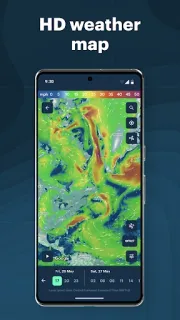
Windy.app is built for surfers, sailors, kite and windsurfers, fishers and others who plan around wind and water. It offers wind maps, a compass, gusts, wave and swell forecasts, tide times, precipitation, humidity and temperature. Forecast models include GFS, ECMWF, ICON and others, and the listing describes local forecasts in three-hour steps over a ten-day span. You can switch units, view an animated wind tracker and look at historical weather data. The updated EXPERT profile brings basic and advanced parameters together, including wind-speed range, rain-intensity range and CAPE, a thunderstorm-potential indicator.
On an older or low-storage phone, a detailed map and several forecast layers are the parts I’d keep an eye on: they can make a weather app feel busier than a simple forecast screen. Start with a single saved spot and the parameters you actually use, rather than leaving every layer open. Wind alerts rely on push notifications, so allow them only if timely warnings matter to your plans. The app is free to install and offers in-app purchases; check the Google Play listing for purchase details before choosing paid options. Forecasts are planning tools, not a guarantee that conditions at the water will match the screen.
I’d install it if wind direction, gusts, waves or tides routinely shape your day, and if you’re comfortable reading a map with several weather measures. It’s a poor fit if you only want a quick chance-of-rain glance, or if a crowded screen slows you down on a small display. The EXPERT profile may be helpful once you know which ranges matter, but it adds more information to sort through. If you’re deciding whether that trade-off suits your phone and routine, check the Google Play button just below.