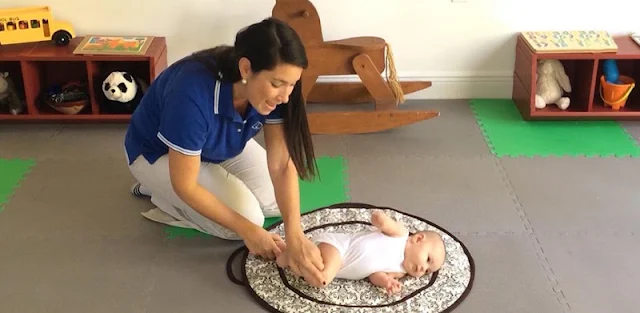
A caregiver arrives while you’re juggling a meal and a toddler who wants attention. Instead of texting a list of ideas, you can open BabySparks and look for an activity to try together. That makes it useful for a grandparent, partner or other regular caregiver who wants a clear starting point, rather than another set of instructions to coordinate. The point is shared play, not a complicated family schedule.
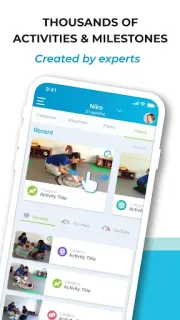
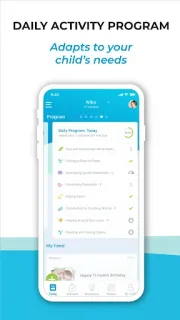
BabySparks is a Parenting app for children aged zero to three, with more than 1,800 activities and milestones. It offers a daily program spanning cognition, language, gross and fine motor skills, social-emotional development, sensory experiences and self-care. Brief instructional videos show how activities work, while search lets you browse by category. The developer describes the program as personalized and adaptive to a child’s needs. For a family handoff, that gives everyone a common set of ideas to choose from, without requiring each caregiver to plan an activity from scratch.
It’s free to install, but the listing flags in-app purchases, so check the Google Play listing for purchase details before making it part of a regular routine. This is a play-and-development guide, not a family messaging or scheduling service: caregivers still need another way to coordinate who is doing what. The program’s suggestions can help structure play, but they aren’t a substitute for your own judgment about what suits your child in the moment. If you use parental controls on a child’s device, remember this app is aimed at adults choosing activities with young children, not at managing device use.
I’d consider BabySparks if several adults care for the same young child and want a consistent source of play ideas, especially when one caregiver needs a quick visual walkthrough. It may not suit families who prefer to invent activities themselves, want a shared calendar, or would rather avoid apps with in-app purchases. Keep the child’s age range in mind, too: the activities are for birth through age three. If that fits your household, check the Google Play button just below for the app listing and purchase details.