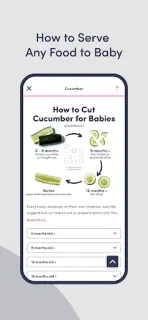
A strip of ripe pear is on the tray, and you pause before cutting another piece. Solid Starts is useful in that small decision: look up the food and find guidance on preparing and serving it for your baby’s age. I’d keep it nearby when a new ingredient raises more questions than a recipe can answer.
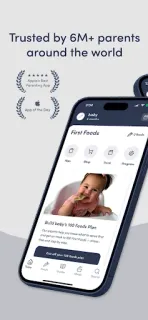
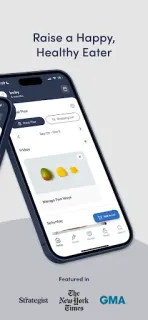
The First Foods® Database covers more than 400 foods, with nutrition details, choking and allergen guidance, age-based serving instructions, and videos of babies eating. There are also meal ideas for introducing a first 100 foods, plus articles and guides on readiness signs, allergens, cup drinking, and infant CPR. That makes it a reference for both a quick food check and the wider move from purées or spoon-feeding toward finger foods.
The main budget question is what you’ll want beyond the free-to-install app. The listing flags in-app purchases, so paid features or subscriptions may add to the cost if you decide you need them; check the Google Play listing and the in-app purchase screen for current terms before committing. For a year-long comparison, note each recurring charge and renewal period, and separate those from one-time purchases. I wouldn’t assume every guide or planning feature is included at no cost.
I’d install it if you’re starting solids and want serving guidance at the point of preparing food, especially if you’re combining approaches or introducing allergens. Skip it if you mainly need a meal diary, shopping list, or a tool with a clear all-in cost before you begin. For a quick check of purchase options and the developer, use the Google Play button just below.