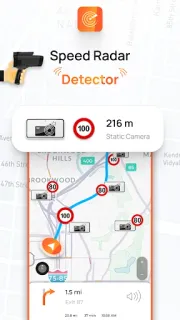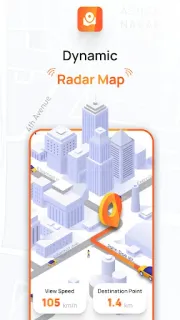
A detour sends you onto an unfamiliar road, and the next turn is already close. That is when a glance at a map and a heads-up about radar locations may be useful: Radar, HUD, Map, Speed Camera is built to put those cues in one driving app. I would treat it as an extra prompt, not a reason to take your attention off the road or to assume every warning will arrive in time.
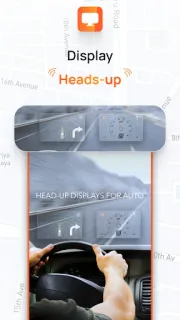
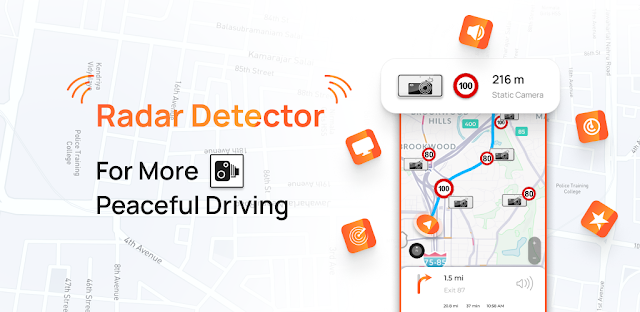
The app describes radar locations, speed limits and a speedometer, plus a head-up display (HUD) intended to show driving information. Its developer also describes warnings as you approach a radar and says the app can estimate a nearby radar even when GPS is unavailable. Those are useful aims, but I would still follow posted signs and the actual conditions in front of me. The latest update notes focus on map accuracy, loading, navigation and general performance improvements.
The trade-off is straightforward: the listing flags ads and in-app purchases, so check the Google Play details before installing if either would bother you. GPS and map-based driving tools also depend on your phone’s location access and a usable connection for relevant map information; check the app’s permission prompts and try its controls while parked. I would not count on it to replace the vehicle’s speed display, road signs or your own judgment, especially in a tunnel or where reception is poor.
I’d consider it if I want radar and speed information together for familiar drives or a new route. I’d skip it if I need guaranteed coverage, prefer an uncluttered navigation screen, or mainly need help arranging airport travel booking, hotel deals or a car rental; a dedicated navigation app is a better fit for route guidance, and the relevant travel service is better for planning. If the driving reminders suit you, check the Google Play listing below before installing.