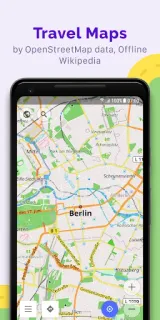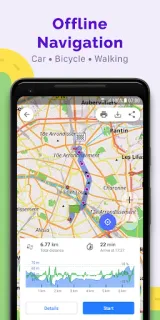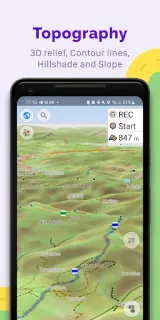
A trail fork splits into two paths, and you want to check the terrain before choosing. With a map saved ahead of time, OsmAnd can show your position and help you navigate without a live connection. I’d also use it to keep a note about a junction or meeting point, rather than relying on a signal to load the map. That makes it useful for a hike where the next decision matters more than a polished overview.
OsmAnd uses OpenStreetMap data and lets you search by address, place name, coordinates, or category. You can choose map styles for activities such as hiking, skiing, nautical trips, or off-road driving, then plan a route with a profile for your vehicle or for walking. Route settings can account for excluded roads and surfaces, vehicle dimensions, and inclines. It can record GPX tracks and show route widgets for distance, speed, time to arrival, and distance to the next turn. Recent changes add street and city details to search results, trip-recording metrics, and a duration display for planned tracks.
The main trade-off is setup: map styles, navigation profiles, overlays, and route preferences give you control, but they can make the first trip feel busy. Save the map area you need before heading out, and check the route while you still have a connection. The app is free to install and offers in-app purchases, so review those options in Google Play before relying on a feature. GPS use can also draw on your phone’s battery, especially on a long outing. OsmAnd says it is open source and that you choose what data it can access; review Android permissions when prompted and allow only what fits your use.
I’d install OsmAnd if I want offline map detail, route planning, or a recorded track for hiking, cycling, or driving. It may be more than I need for a quick city walk or a simple trip planner, where I’d rather have fewer settings to manage. It is a map and navigation tool, not a travel booking service: hotel deals, an airport search, and car rental arrangements are separate tasks. If that balance suits your trip, use the Google Play button just below to check the listing before you install.