
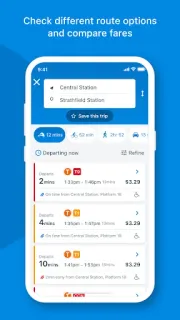
A ferry is your last link to dinner, and the departure board shows a change. Opal Travel can help you check public-transport departure times and see service updates for a trip, with on-the-go hop-off alerts among its features. That makes it useful when a disruption affects the part of the journey you are taking now, rather than a route you saved for later. To keep alerts useful, allow notifications if you want them, then use your phone’s notification settings to quiet them when you do not. The practical payoff is having trip information and alerts in the same place.
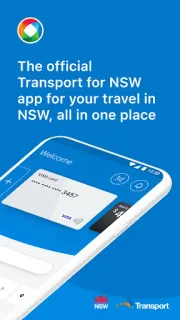
The app plans trips by public transport, cycling, walking or driving. You can save favourite trips and locations, check public-transport fares, and view departure times for trains, metro, buses, light rail and ferries. Register an Opal card to check its balance, top it up or set up auto top-up. The app also lets you review Opal and contactless payment travel history and fares. It is a local trip planner, not a travel booking tool: look elsewhere for flights, car rental or hotel deals.
There are two things to sort out before relying on it. First, managing an Opal card requires registering that card in the app; trip planning and departure checks are separate reasons to use it. Second, notifications are only useful if your phone allows them and you choose which alerts to keep. I would check Android’s app-notification controls rather than assume every service message needs to interrupt you. Auto top-up is an optional card setting, so review its setup before enabling it.
I’d install Opal Travel if I regularly travel around NSW and want trip planning, fares and Opal card tasks together, especially when service changes matter. Occasional visitors who only need a single route may prefer checking departure information as needed, while anyone arranging a wider holiday will still need separate travel booking tools. If that fits your routine, the Google Play button just below is the next stop.

 How-toOpal Travel