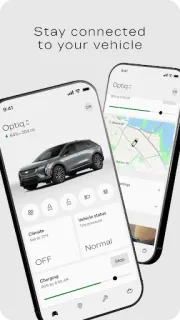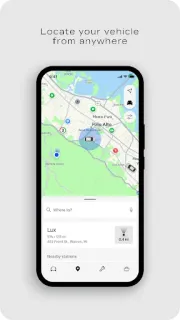
Your car is parked across a crowded lot, and you cannot remember which row you chose. myCadillac can help locate the vehicle, then gives you a way to check its status before you head over. That is a useful pocket tool when small ownership chores compete with the rest of your day. On an older or low-storage phone, though, the practical question is whether you have room for another connected-car app and enough mobile data for it.
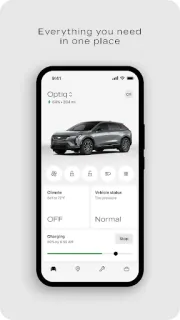
The app brings several Cadillac tasks together: remote start, locking and unlocking, fuel and tire-pressure checks, oil-life status, cabin temperature settings, charging information and charging-station locations. It also offers trip planning with maps, roadside help, service scheduling and dealership search. If you manage charging or want to warm or cool the cabin before setting off, those controls may earn their place more often than the map screen. The mix is broad, but the available tools depend on the vehicle.
Expect some setup and ongoing connectivity. Mobile features need a data connection, and availability varies with the vehicle, device and enrolled plan; roadside help and map coverage also vary by country. The app is free to install, but connected services may depend on your plan, so check the terms that apply to your Cadillac before relying on remote controls. On a phone with tight storage, consider whether you will use these features enough to justify keeping the app installed; maps and live status also use data.
I would install it if you own a compatible Cadillac and regularly check vehicle health, manage charging or handle service through your phone. It is less compelling if you do not use connected features, have little spare storage or mainly need a basic map. This is not a home security or smart thermostat app; its value is tied to your car and its supported services. Check the Google Play listing, then use the button just below if the fit looks right.