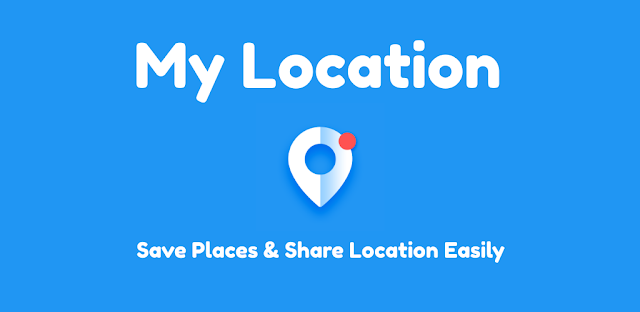
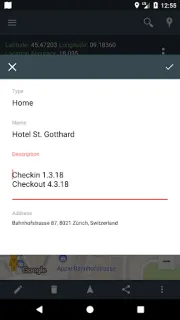
You’re leaving a community sports field after practice and need to find the quieter entrance next time. A saved pin with a title or note gives that spot context instead of leaving you to guess which marker matters. I’d use My Location for small, practical reminders like that, or to keep a hike’s start point handy. It is less compelling if all you need is turn-by-turn directions.
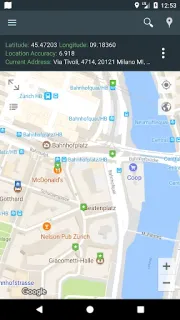
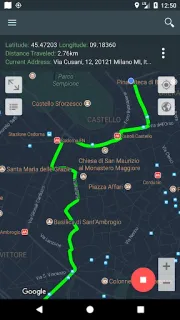
The app shows your current position and address on a map, with latitude and longitude. You can save places with a title, description and destination type, look for nearby businesses and other places, share a live location, and record routes to revisit later. It also supports importing and exporting KML, GPX and GeoJSON files, which can help if you already keep map data elsewhere. Those tools can support a walking route or a planned stop near an airport; they are not a full travel booking service for flights, hotel deals or car rental.
Location access is central to showing your position, sharing it live and tracking a route. I’d grant access only when I’m using those features and consider who can see a shared location before sending it. The listing flags ads and in-app purchases, so check the Google Play details if you want to avoid interruptions or spending. Route records and saved places are useful, but I would not treat them as a substitute for navigation or a backup of important trip plans.
Install it if you want a simple place to collect map notes, nearby points and routes for walks, rides or travel. Skip it if you need a polished turn-by-turn guide, a dedicated flights or hotel deals search, or a location tool without ads and purchase prompts. For a loyalty program or travel booking, use a service built around those tasks instead. If the map tools fit your routine, the Google Play button just below is the place to check the listing before you decide.
 Best picksMy Location