A practice ends late, the grocery stop would make you miss the bus, and dinner still needs sorting. Grab can cover two parts of that scramble: request a taxi or car, then arrange food or grocery delivery in the same app. I’d find it most useful when the day’s plan changes midstream, not just as a backup taxi button. The appeal is fewer separate errands and fewer app switches; the practical question is which services operate where you are.
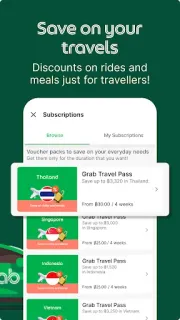
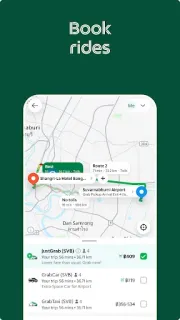
The listing describes taxi, ride-hailing and transport options, including JustGrab and GrabTaxi, alongside food orders from restaurants and grocery shopping delivered to you. It also promotes carpooling and hiring a car, plus in-app payments for shopping. That makes it a broad travel booking and local-errands tool, rather than a dedicated trip planner: it can help with a city ride or a nearby meal, but it is not built around flights or hotel deals. The available choices depend on your location.
Before relying on it, check the service area and the fare or delivery total shown for your specific order. A ride, groceries and restaurant delivery can each carry different charges, and the convenient option may cost more than doing the trip yourself. Payment options can vary too. I’d review location access and notification settings when setting up the app, then keep notifications useful for ride or order changes rather than allowing every alert. If you want car rental, confirm that a suitable hire-car option is actually offered in your area.
Grab is worth considering if you live in or are visiting a place it serves and expect to use rides plus food or grocery delivery. It is a weaker fit if you only need occasional transport, prefer to compare every service separately, or are looking for a complete holiday-planning tool. Check local availability before building a routine around it. If that fits your plans, the Google Play button just below is the next place to check the app details.