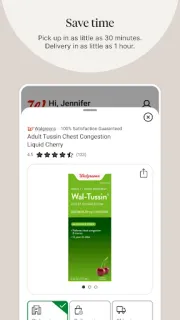
A prescription bottle is on the kitchen counter, and you’re already planning a store stop. Walgreens lets you scan the bottle to request a refill, then check refill updates and order status for family prescriptions. If you also need household essentials, shopping with pickup or delivery can keep that errand in the same app.
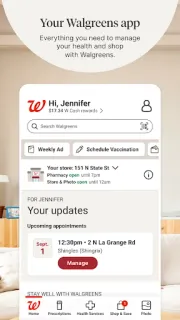
The app brings together prescription management, pharmacy chat, vaccination bookings and virtual visits for many non-emergency conditions. In the photo section, you can upload pictures for prints, calendars, cards and other gifts, with local pickup options. The shopping section includes deals and coupons to clip, personalized offers and cash rewards. Order status can help you follow a purchase; think of it as delivery tracking, not a general price comparison tool.
The range is the trade-off: if you only need one refill, the shopping, photo and health sections may feel like extra clutter. You’ll need to manage prescription and account details in the app, so review sign-in and privacy choices before adding family information. Pickup timing and delivery availability can depend on the item and your local store, and check any fees or offer terms before placing an order. Photo products and health services also have their own conditions, so confirm the details that apply to your request.
I’d install Walgreens if you regularly use its pharmacy, want coupons alongside essentials, or expect to order prints from the same retailer. It can also suit a household coordinating refill updates and order status in one place. Skip it if you want a simple online marketplace for general shopping, need robust price comparison, or won’t use Walgreens for pharmacy, photos or pickup. For that narrower task, use the retailer or pharmacy app you already rely on. If this sounds like your routine, check the Google Play button just below.

 How-toWalgreens