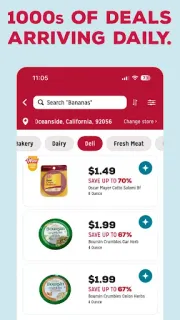
The night before a grocery run, I want to know whether a deal is worth building into the plan—not discover it while I’m already in the aisle. This app gives me a place to check offers for a local store and collect the ones I want on a shopping list. That makes it most useful when I have a particular trip in mind, rather than as a general price comparison tool.
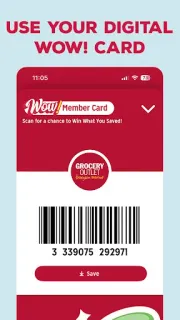
The app brings together weekly ads, a weekly circular, daily Wow Alerts and product browsing by department. I can search for items, look at deals tied to a favorite local store and add picks to my list before heading out. Wow Insider is presented as a way to access additional savings. The listing also describes a savings total and entry into its monthly Win What You Save promotion. Store locations and available deals can help me choose where to shop. Grocery Outlet says its changing selection may include thousands of items each week, so I’d check again when planning another trip instead of treating an old list as a promise of current stock.
The practical catch is that this is geared to Grocery Outlet shoppers: its offers and location tools are useful only if a participating nearby store fits my plans. I’d review the selected store and the terms attached to any promotion before counting on a deal or entry. The app is free to install, but I’d check the Google Play listing for any in-app purchase details and review permission requests when they appear. Alerts can be handy, though I’d turn them off if deal notifications start interrupting other plans.
Install it if you shop at Grocery Outlet and want the circular, changing offers and a prep list together. Skip it if you need a broad comparison across grocery chains or expect a complete, stable catalogue of every item in store. For this app, the useful settings are the ones that keep your chosen store and deal alerts relevant to your routine. Check the Google Play button just below to see the listing before you install.