A bucket of balls can blur together: was that higher flight from a new swing thought, or just one clean strike? With Trackman Golf, I’d check the session report while the details are fresh, then use the activity overview to compare practice and play records. That makes the app most useful when your next session has a specific question to answer, not just another target to chase.
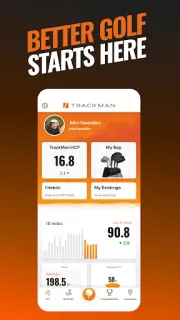
The app gathers data from Trackman range, indoor and practice activities under a personal Trackman account. Range sessions can show live ball details such as carry, total distance, speed, height and launch angle. Reports summarize activity, while lifetime statistics include a Trackman handicap. Games and competition leaderboards add a social angle if you like comparing results with friends. The listing describes support for several languages, including English, Spanish, German, French, Chinese, Japanese and Korean.
There’s a clear boundary: the app is built around Trackman activities, so it won’t turn an ordinary driving-range visit into a tracked session. You’ll need to connect a personal Trackman profile to follow your performance, and the useful data depends on the relevant Trackman setup recording the activity. The app is free to install, but check the Google Play listing for any current in-app purchase details before you commit; don’t assume every range or simulator feature is included at no cost. Its latest notes describe minor bug fixes and performance improvements.
I’d install it if I already use Trackman range bays, indoor golf or practice sessions and want reports, stats and competition results together. I’d skip it if I’m looking for general golf tips, a course-finder or a way to track sessions without Trackman. It’s also not a substitute for checking what a particular venue offers. If that fits your routine, use the Google Play button just below to open the listing and check the details.