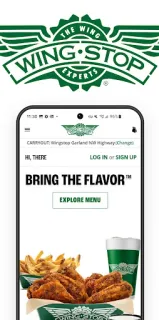
The group has picked its sauces, someone wants tenders instead of wings, and practice ends soon. This is when Wingstop earns a spot on my phone: I can build one order around the crew’s choices and set it for pickup or delivery. The standout is order history. When the same combination comes around again, that history can spare me from rebuilding it item by item—handy when I’m coordinating dinner between practice plans.
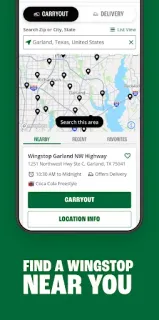
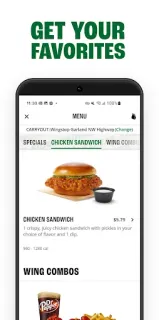
The app lets you choose wings, crispy tenders, chicken sandwiches, sides and dips, then order ASAP or schedule up to seven days ahead. Checkout supports pickup and delivery. Create an account to reorder from your history, save favorite Wingstop locations and delivery addresses, and keep an in-app payment method. Store details and directions are available for Wingstop locations, too. Google Pay, PayPal and Venmo are among the listed payment choices.
The ordering feature is for U.S. residents, so check that your location is supported before planning around it. An account is useful for saved details and repeat orders; without one, expect less convenience when placing the same meal again. Review the order carefully at checkout, including the final total and any delivery costs, before confirming. This is an ordering tool, not a way to compare nearby restaurants or hunt for meal deals.
I’d install it if Wingstop is already a regular takeout choice and I want a quicker path back to a familiar order. Advance scheduling also helps when I know a practice-night meal needs to be ready later, while saved locations and addresses can make repeat plans less fiddly. If I rarely order from Wingstop, or want a broad food delivery service covering many restaurants, this app is a narrower fit. Check the Google Play button just below to open the listing and confirm it’s the Wingstop app you want.