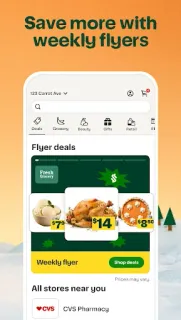
It’s late, tomorrow’s lunch supplies are thin, and someone else at home needs fruit and breakfast basics too. I’d use Instacart to gather those needs into one grocery order instead of making separate store trips. For a family or a small team, it can be a practical way to coordinate what arrives; I’d still agree on the list and spending before one person places the order.
The app connects shoppers with grocery and retail store brands, where they can browse products, add food, drinks, snacks and household essentials, then arrange delivery. The description also offers pickup, which suits a day when someone can collect the order. It covers grocery delivery and mentions food and drink spots, so it may help with takeout-style needs as well as pantry restocking. Availability depends on the local stores and service area, so the options shown in the app matter.
The advertised delivery speed is not a promise for every order or address. Delivery and service fees can apply; the first-order offer has conditions, including a time window and exclusions, so check the terms before relying on it. The listing flags ads, and grocery prices, substitutions and delivery choices can affect the final order. Meal deals or savings may appear, but I’d compare the full basket total rather than assume every offer lowers the cost. Keep the household’s preferences clear before checkout, especially if someone else is choosing items.
Instacart makes sense for households that want groceries brought in or prefer pickup, and for a small team that can settle its list before ordering. It’s less useful if nearby stores are limited, you need a guaranteed arrival time, or you’d rather choose every item in person. Restaurant reservations and live sports streaming are outside its purpose; this is for groceries and related shopping. If that fits your routine, use the Google Play button just below to open the listing and check the details for your area.