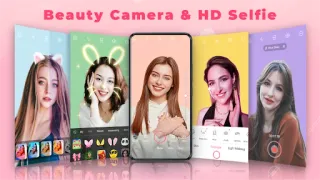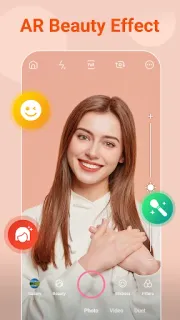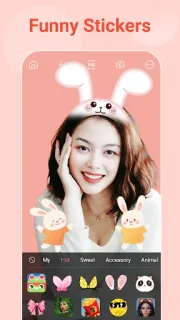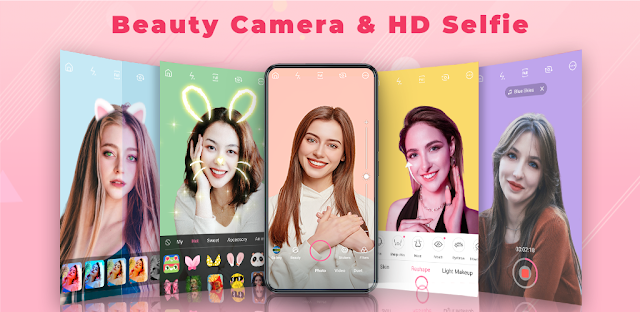
A team photo is due before practice starts, and one face looks washed out under the gym lights. I’d open the live camera, try a filter or animated sticker, and take another shot without first choosing a look in a separate editor. If the result needs more work, the app also offers retouching tools after the photo is taken. That makes it handy for casual, playful edits when speed matters more than a natural, untouched finish.
The feature list covers live filters, stickers and makeup effects for photos and videos. Editing options include smoothing skin, removing blemishes, changing face shape, adjusting eye appearance, whitening teeth and reshaping the body. There are also collage templates and music video editing tools, so it reaches beyond a basic selfie camera. I’d treat the effects as creative controls, not as a replacement for beauty products or a skincare routine: they change the image, not the underlying skin or lighting.
The main trade-off is the ad-supported format. Ads can interrupt the path from taking a picture to editing or sharing it, so this is a less comfortable pick if you want a quiet, uninterrupted workspace. The app is free to install, but I’d check the Google Play listing for any in-app purchase details before relying on every tool being available without extra cost. Its focus is selfies and visual effects, not a size guide or online shopping; it won’t help you choose clothes or compare products.
I’d install it if you enjoy trying bold filters, makeup looks and stickers, and don’t mind ads in a casual editor. Skip it if you prefer subtle edits, want a focused photo workflow, or are looking for outfit ideas from designer brands rather than ways to alter a picture. For a more restrained result, use your phone’s built-in photo editor instead. If the playful effects fit your plans, check the Google Play button just below.