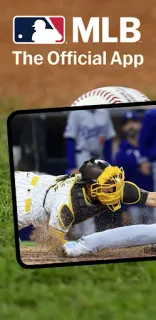
The family chat is filling up with “What’s the score?” while one person is driving home and another is trying to put dinner on the table. MLB gives everyone a place to check scores, standings and Gameday, then catch up with real-time highlights. I’d use it as the shared reference point, not assume every relative can watch the same game live.
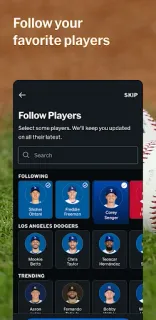
The app brings together scores, baseball news, trade rumors and Gameday, with live and on-demand video and audio options. Free features include personalized programming, a library of on-demand video, the Free Game of the Day subject to blackout restrictions, and real-time in-game highlights. Paid plans add options such as out-of-market games or live audio for every game; the details vary by plan. That makes it useful for a household with different levels of baseball commitment: one person can follow the score while another chooses live sports streaming.
The main catch is access. Video plans cost extra, and blackout restrictions can affect some games, including the free game. Audio has its own paid plan, so check the subscription choices before counting on a particular broadcast. The app contains ads and offers in-app purchases. For a family planning an outing, MLB can sit alongside event tickets and food delivery in the weekend conversation, but I’d treat those as separate tasks rather than assume the app handles them.
I’d install it for a household or small team that wants shared scores, news and highlights without relying on one person to send updates. It’s less compelling if you only follow baseball occasionally, or if your main goal is to watch every local game live without checking access rules. On a mid-range Galaxy A-series phone, I’d start with scores and highlights before making streaming a regular habit. Check the Google Play listing just below for the developer and in-app purchase details before you install.